

Ready in about a minute
The photo booth anyone can create.
Guests just open a link or scan a QR code. No app, no account.
Have a booth code? Join a Booth


Simple first
A booth in 60 seconds
Step 1: Pick a Theme
Birthdays to board meetings, there's a look for every day.
Step 2: Personalise
Add names, colours, frames, stickers and your welcome message.
Step 3: Share the link or QR
Guests open it on their phone and start snapping.
Everything it can do
Way more than a camera
Photos & strips
Live frames around every shot.
Filters, props & Glam
Colour looks, live props, Glam.
Gallery & slideshow
Every photo, live on the big screen.
Guestbook
Written messages and voice notes.
Missions & Passport
Photo missions and the Event Passport.
Time capsule
Memories that open later.
Disposable camera
Plus a guest camera for any phone.
Event Hub
One home for the whole event.
Kiosk mode
Remote control and printing.
Theme Studio & Pro Editor
Make the look entirely yours.
Team & client portal
Built for booth operators.
Link & QR sharing
Guests join in seconds.
Made for your kind of day
Whatever you're celebrating
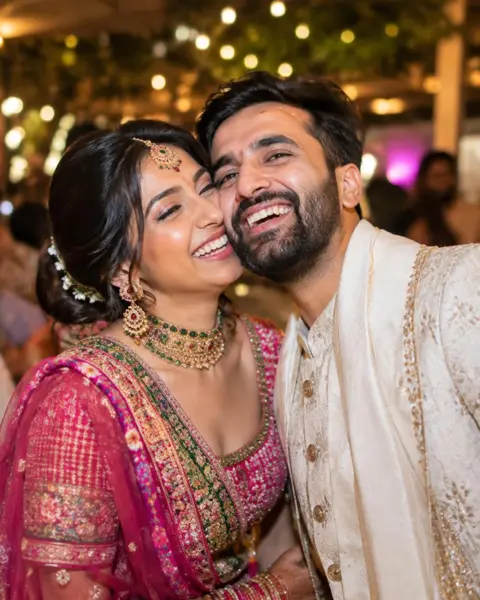
Weddings
- Themes with your names and date
- Guestbook with voice notes
- Gallery for everyone

Birthdays
- Ready in a minute, free
- Live props and stickers
- Strips saved to every phone

Corporate
- Your branding on every photo
- Live slideshow on screens
- Photo missions for teams

Booth operators
- Kiosk mode with printing
- Remote control on the day
- Team and client portal
Booth Themes
Start with a look you love
Pricing
Free forever to start
Create unlimited booths and run one live at a time, free. Upgrade when your event grows.
Good questions
Quick answers
Do guests need an app?
No. Guests open a link or scan a QR code in their phone's browser. No app and no account.
Is it really free?
Yes. You can create booths for free and run one live at a time, forever. Paid plans add more.
Where do photos go?
Guests save photos straight to their phone, and they also arrive in your booth's gallery unless you choose to keep them on the device only.
What if the camera won't start?
The booth shows step-by-step help for each browser. Opening the link in Safari or Chrome, rather than inside another app, usually fixes it.

Our story
The best photos aren't about the camera. They're about you and the people you're with.
Read our story